Case study
Sumondo
Improving user activation rate by integrating the app with users' existing exercise routines.
View hi-fi prototype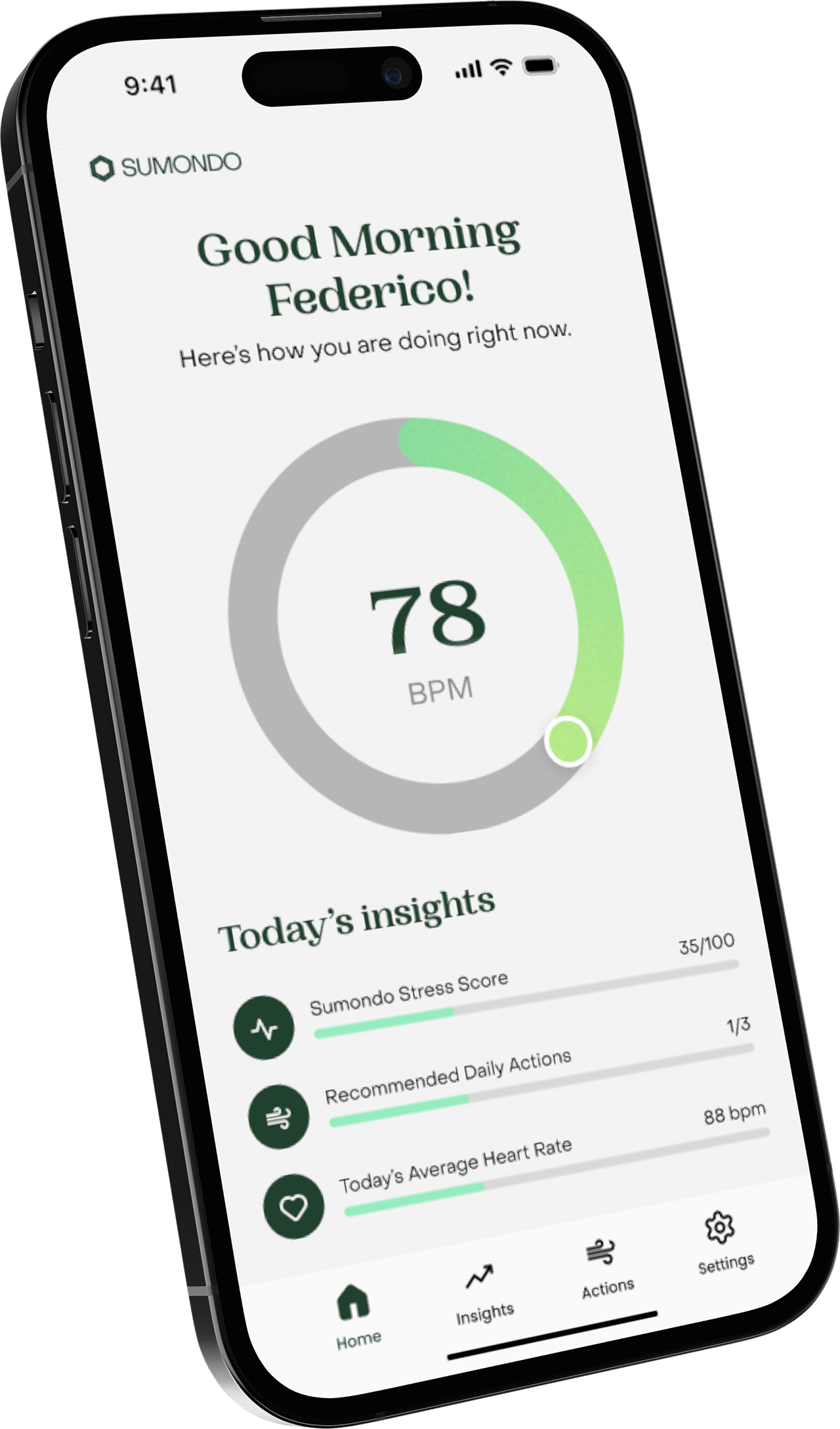
Introduction
The challenge was not just helping users reduce stress. It was helping Sumondo become part of a routine they already had.
Sumondo is a stress monitoring app for adults seeking to raise awareness and suggesting relieving methods by encouraging users to incorporate meditation and breathing exercises into their daily routine.
The users were adults between 35-65 years old who were concerned that deteriorating physical and mental health would impact their ability to live a fuller life.
The business goal was to improve activation rates. The real challenge was not usability alone, it was relevance: users did not see the app as part of their daily behavior, so it was quickly abandoned.
Framing the problem
When I joined the project, I had to create the entire user interface from scratch, including the branding elements used to build the app experience.
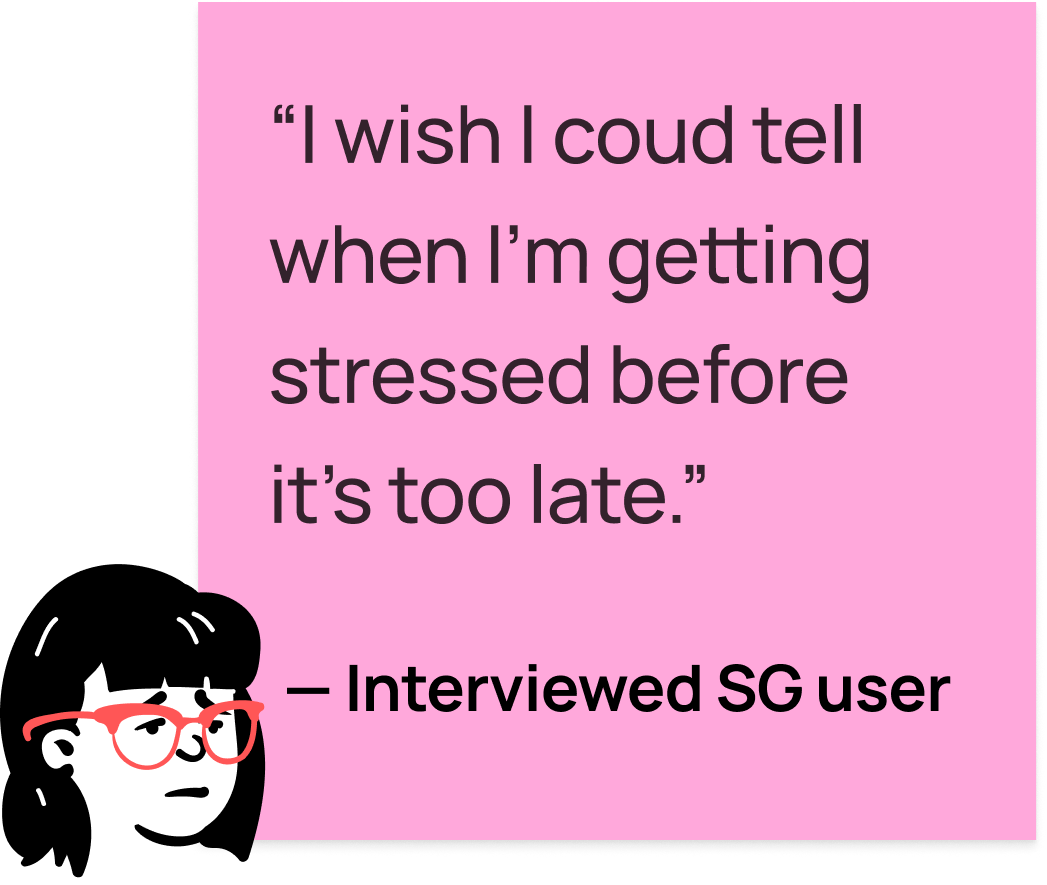
User research found that most users already had a habit of exercising or meditating to alleviate symptoms of high stress. The opportunity was to connect Sumondo with those routines instead of asking users to adopt an entirely new behavior.
- Low activation: Sumondo wanted to improve activation rates, but the real challenge was not usability alone. It was relevance.
- Weak daily fit: Users did not see the app as part of their daily behavior, so it was quickly abandoned.
- Engagement risk: The risk was building more features without improving adoption.
- Brand and UI foundation: The product needed a full interface and visual system before the experience could feel coherent.
The proposed solution
The proposed direction connected stress data with practical, low-friction actions that users could understand and perform quickly.
- Context-aware suggestions: Notify users when stress levels reach sustained thresholds by suggesting breathing exercises, meditation breaks, walk trips, hydration breaks, and other actions.
- Breathing exercises system: Add guided breathing exercises where users can follow inhale and exhale rhythms through an on-screen animation.
- Tracking activities: Show actions completed through the app's suggestions inside the Insights view, making progress and calm-streak achievements easier to notice.
- Quick Actions: Add shortcuts on the Home view so users can quickly register common activities without digging through the app.
By connecting with existing routines, the app could become a more regular part of daily life.
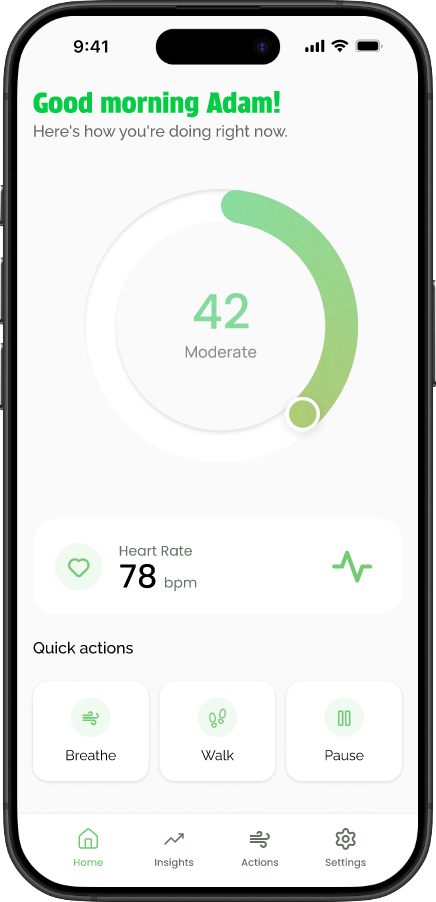
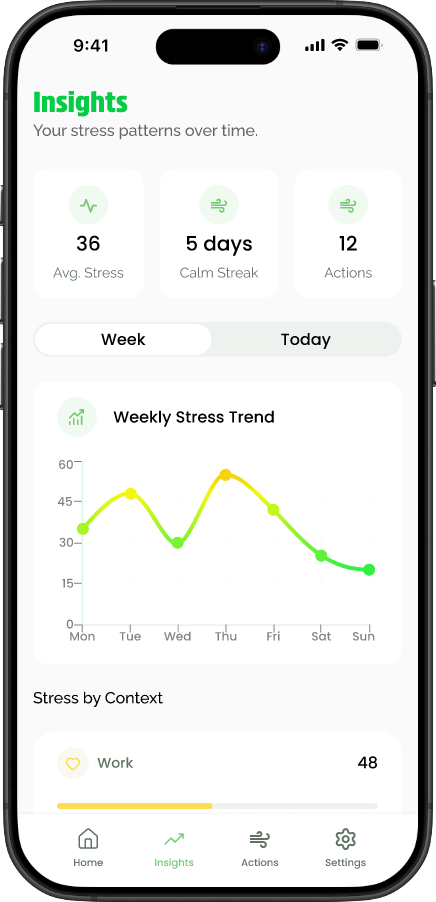
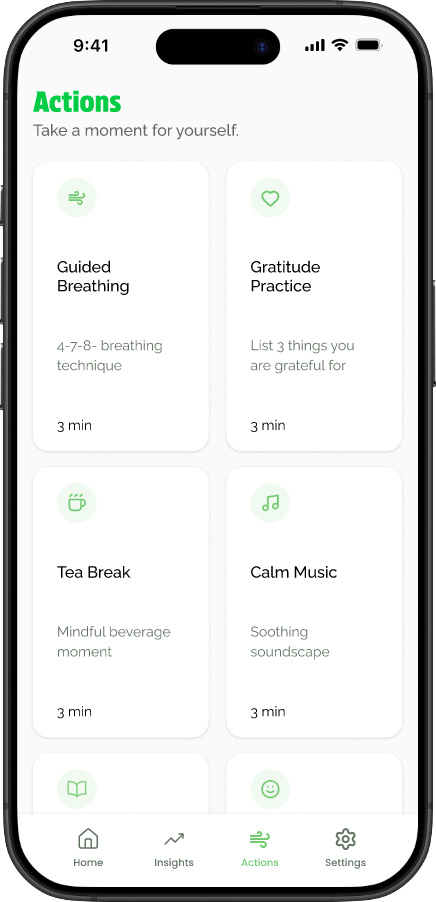
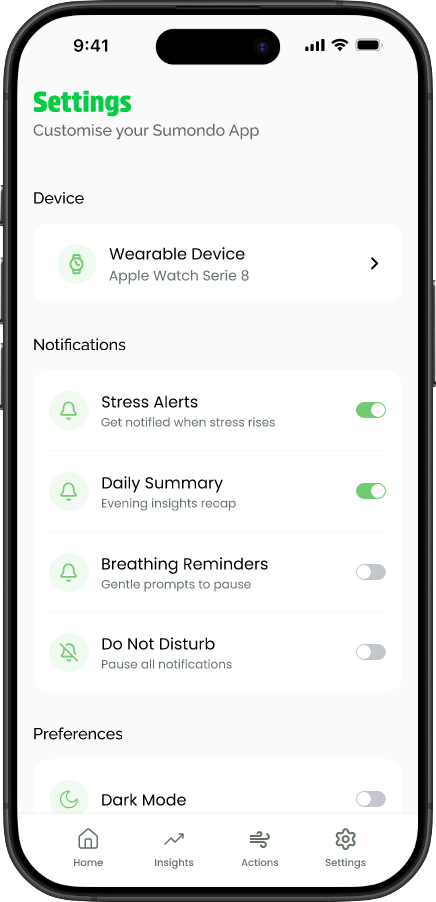
Mid-fi prototype screens from the v1 solution.
Usability testing and priority revisions
I tested the prototype with users and collected the results in FigJam to identify where the experience needed to become clearer.
Testing showed that users completed the breathing-exercise task with ease and enjoyed the follow animation, but two important issues surfaced:
- Users wanted shorter breathing exercises.
- Users found Do Not Disturb difficult to reach.
Because users did not have trouble performing actions, the revision work focused on making Do Not Disturb easier to find and reducing friction around the breathing activity.
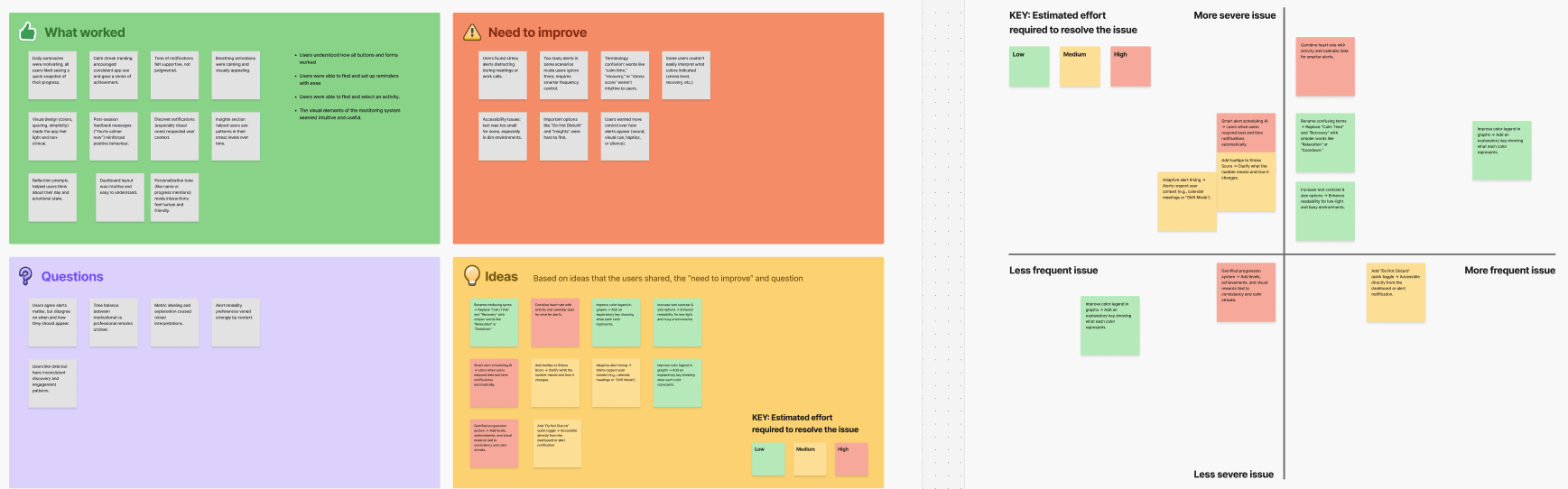
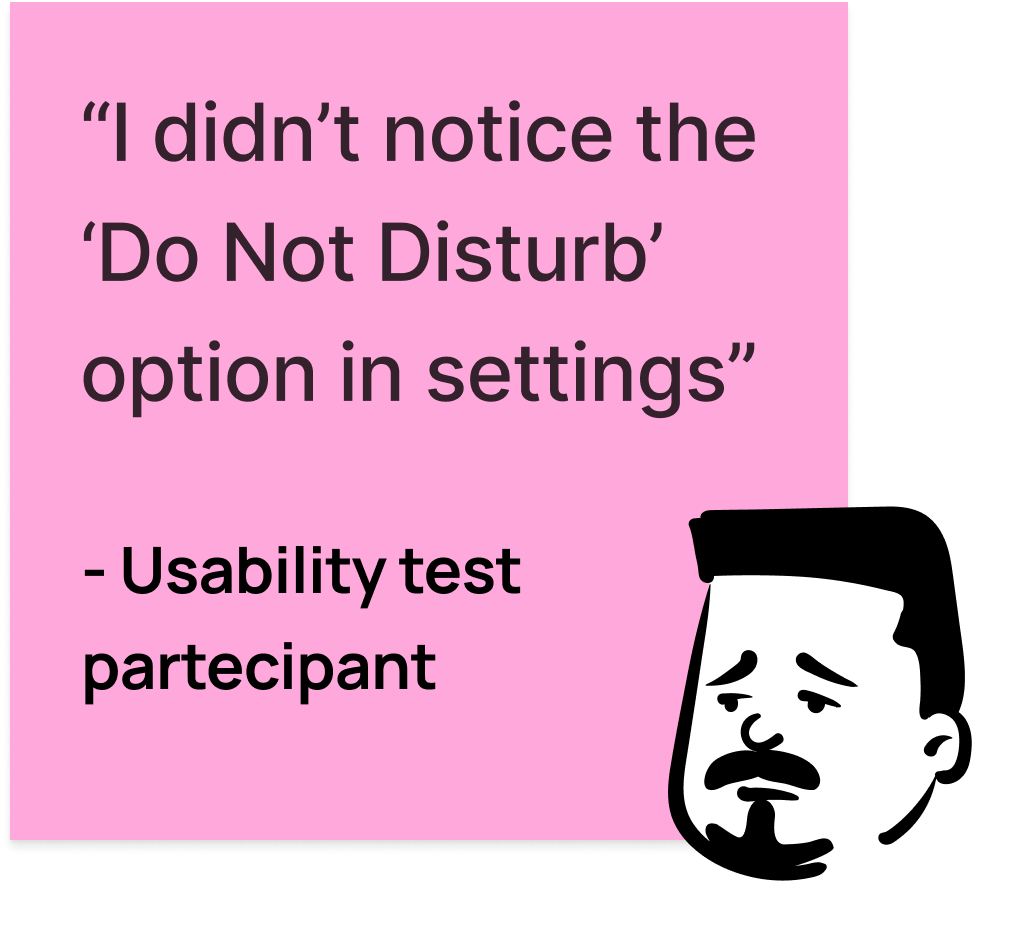
Usability test results, affinity map, and analysis on FigJam.
Final solution
The final direction tied stress thresholds to practical, low-friction actions. Users could receive suggestions, perform a stress-relieving exercise, and track those actions inside the app.
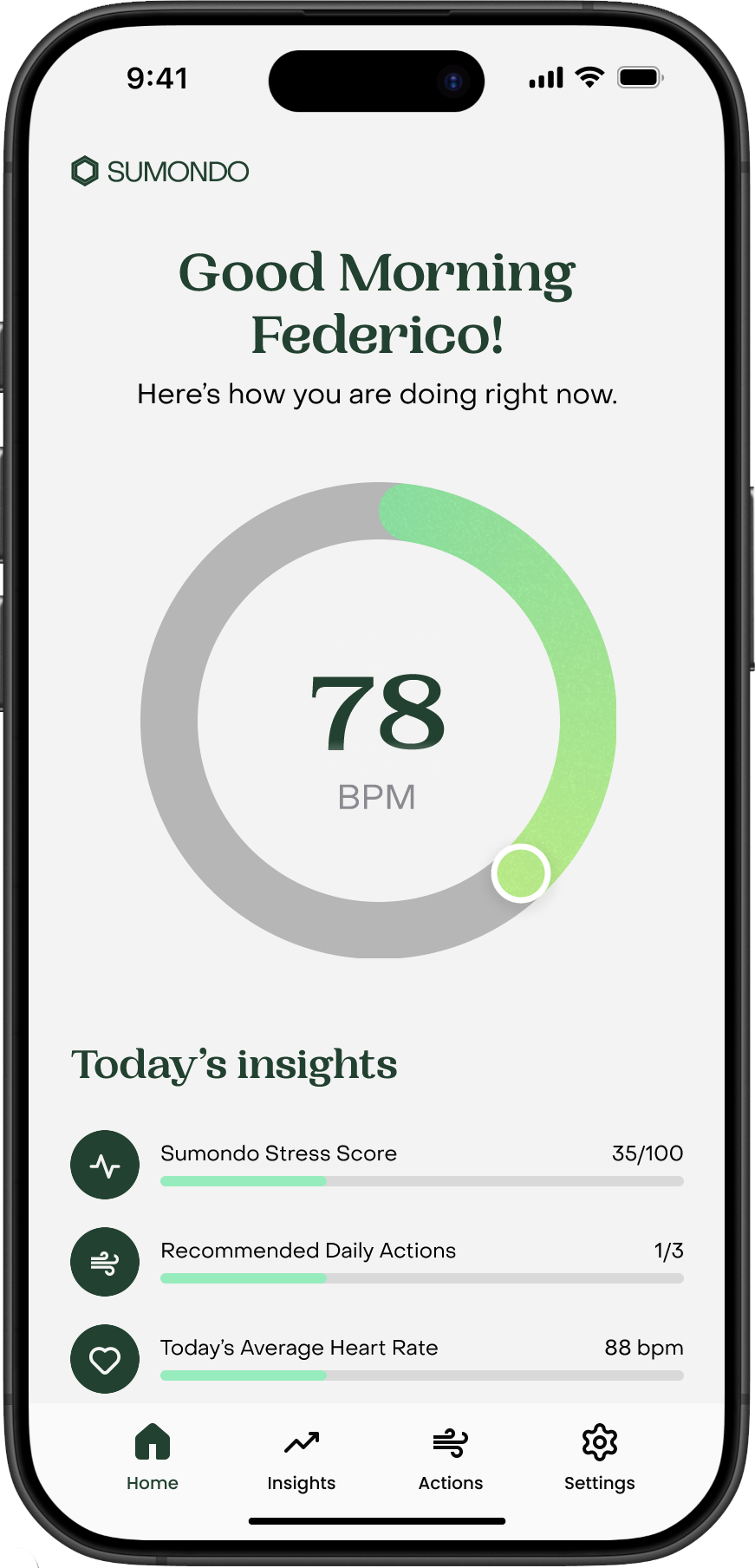
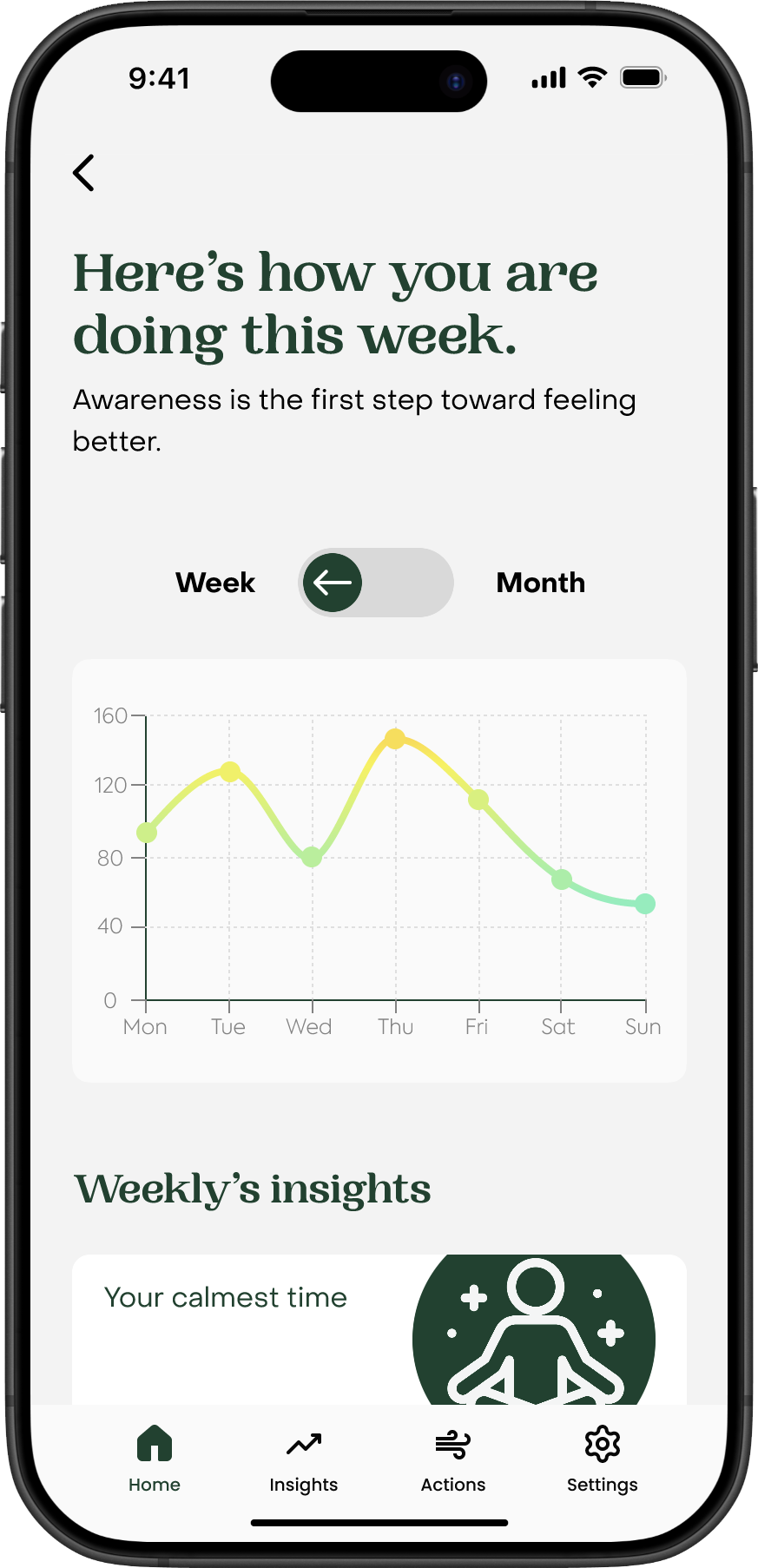
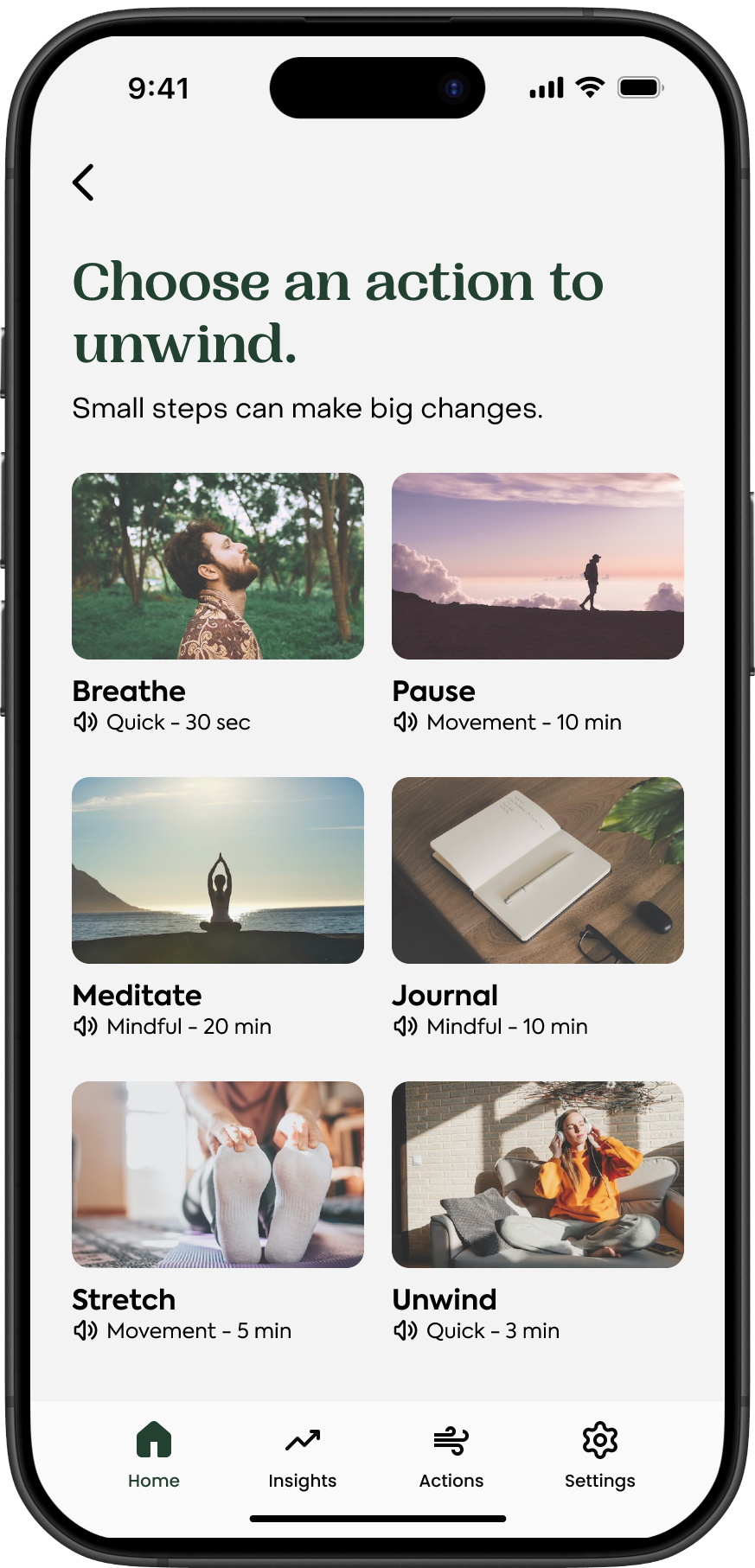
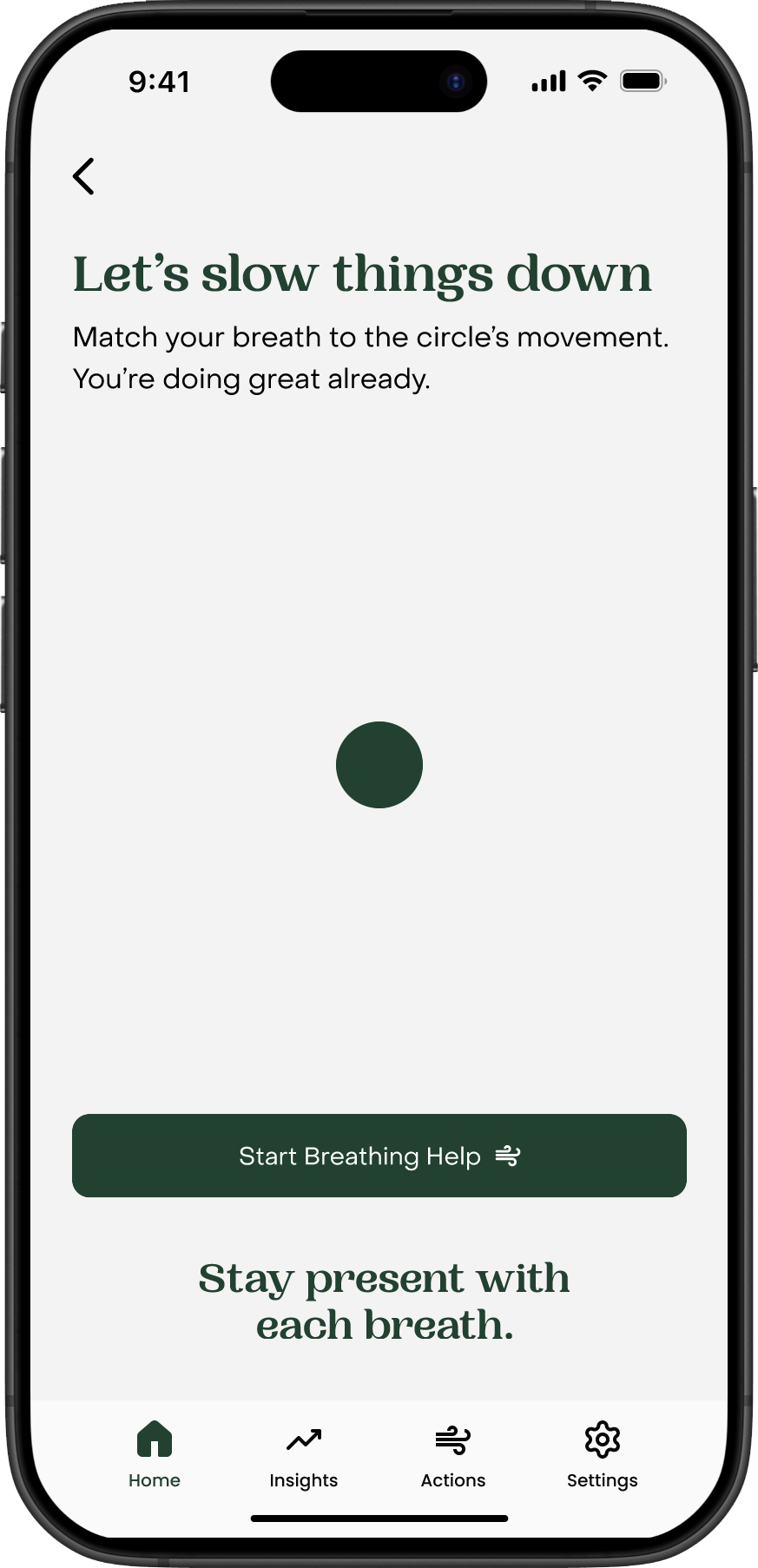
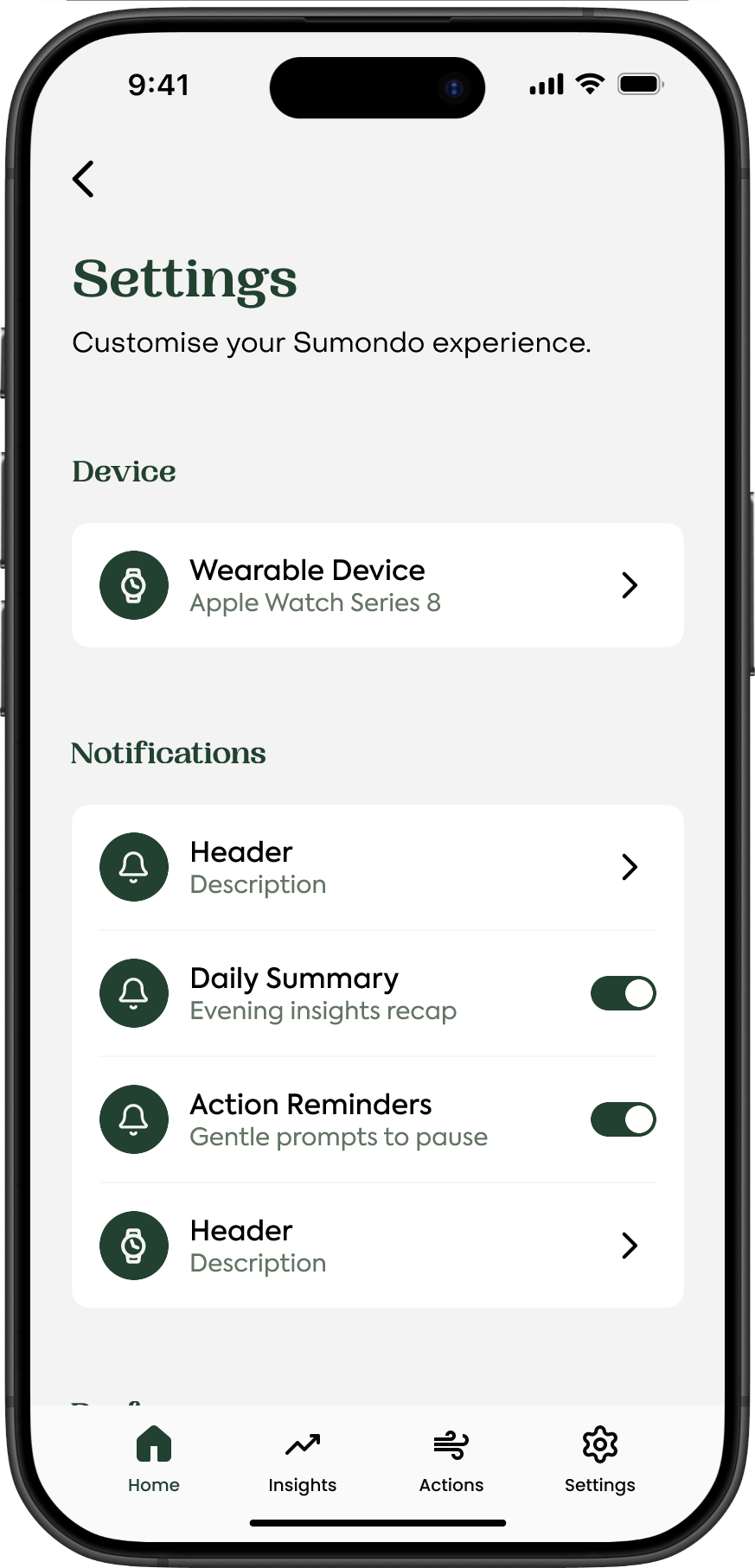
Final hi-fi prototype screenshots.
Where do we go from here?
The next step would be to understand whether the revised direction actually improved activation and made the key actions easier to find.
Validate the revision
- Run another usability test with new participants.
- Check whether users can find and complete the input exercise flow more easily.
- Observe whether the breathing exercise feels useful enough to repeat, not just easy to complete once.
Track activation signals
- What percentage of users perform on-app Actions?
- Are users who perform Actions more engaged with the app overall?
- How does the new feature affect activation rate?
Explore follow-up improvements
- If the breathing exercise works well, explore lightweight gamification such as points, weekly challenges, or progress streaks.
- Use reminders to help users return and input exercise information.
- If the feature does not meaningfully improve activation, revisit earlier parts of the journey, especially onboarding.